

Find text
Press Command or Control and F to open the document find bar. Type a query, press Enter for the next match, and press Shift and Enter for the previous match. Use Match case when capitalization should matter. The counter shows the current match and total matches. Press Escape to close the bar. You can search only the active tab.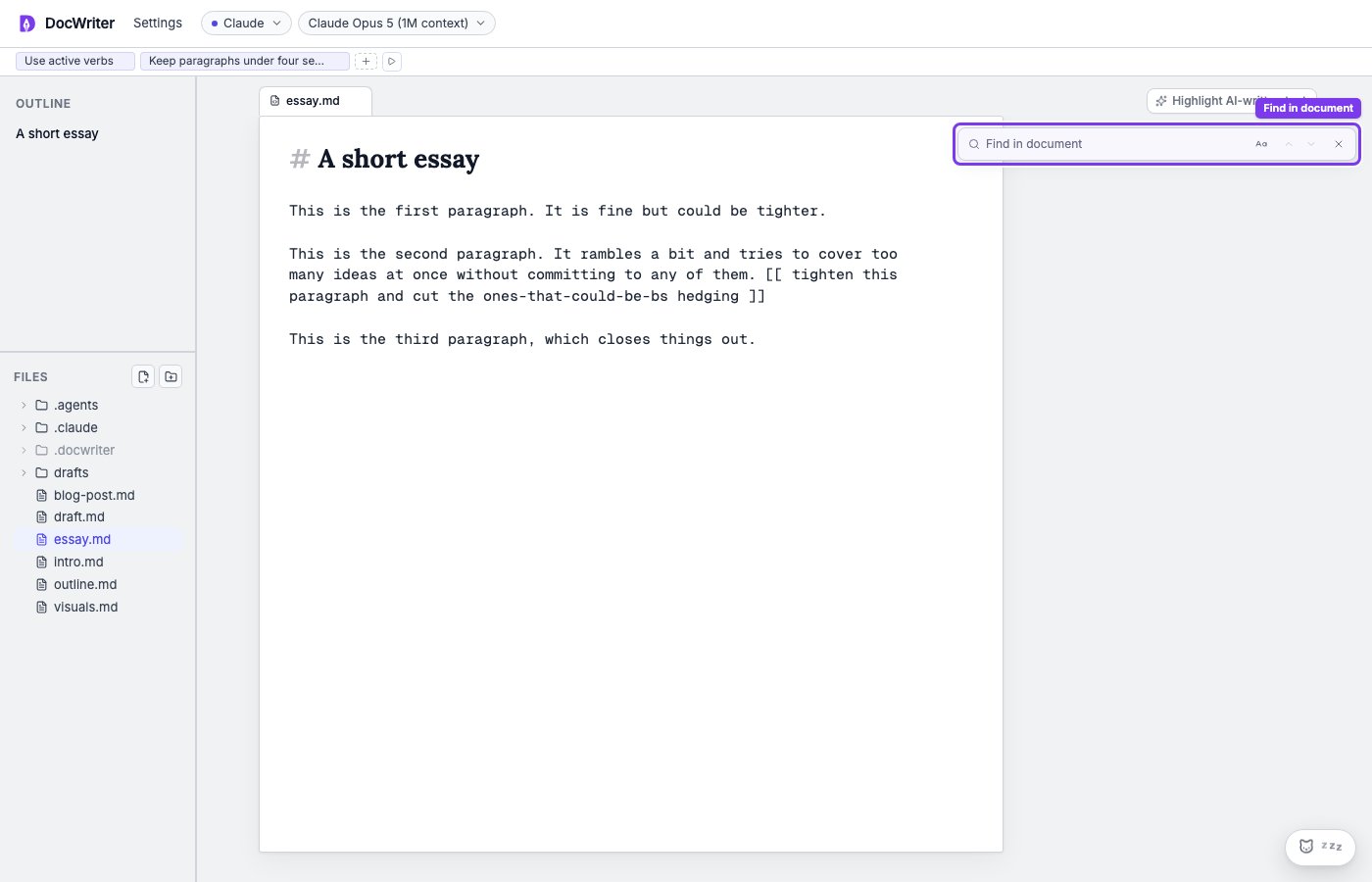
Use the outline
You will find the Markdown headings from your active file in the outline. You can use the outline to move to a section in a long draft without searching for its title. Files without Markdown headings have an empty outline.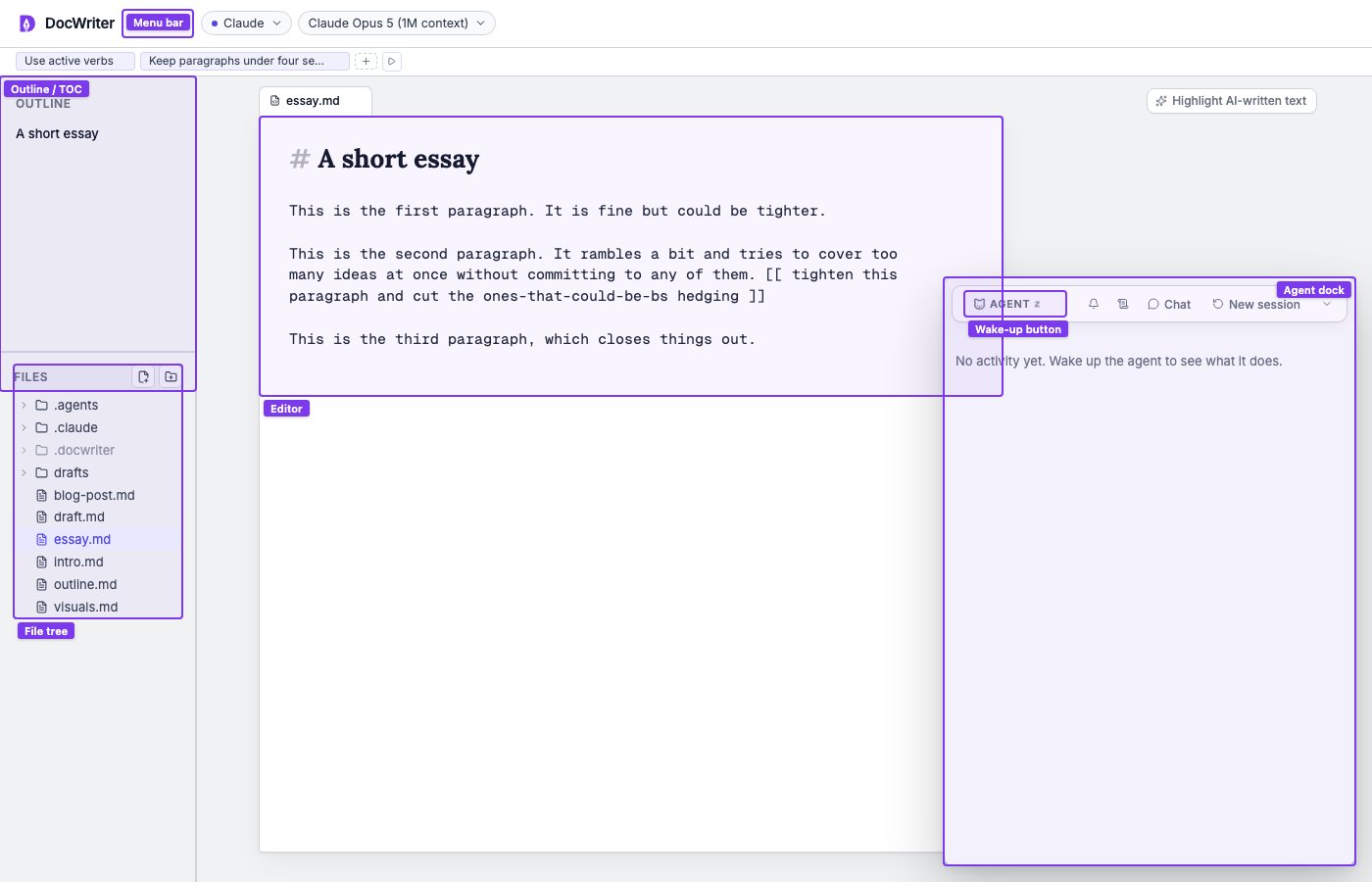
The outline appears above the file tree on the left.
Change appearance
Open Settings to choose Light, Dark, Solarized Light, Solarized Dark, or Monokai. You can also change the editor font size, wrap long lines, and show line numbers. These settings let you make dense source text easier to read without changing the saved file.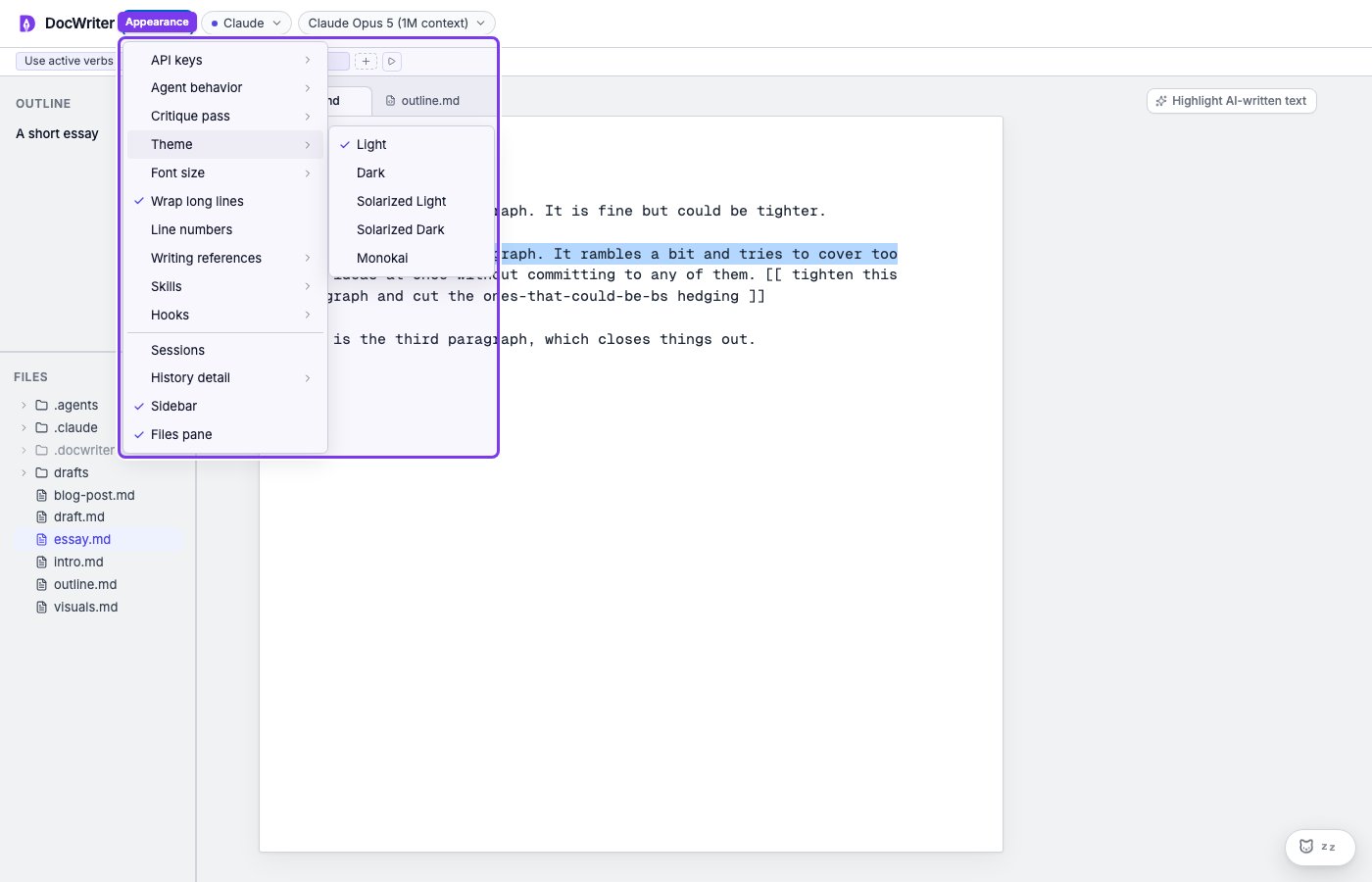
Theme, font, wrapping, line number, and pane controls are under Settings.