Use a skill when the agent needs a reusable procedure for a task with several steps or supporting files. For example, a plain writing skill can define what to check, how to revise the prose, and how to report the changes each time you request that review.

Install a skill

Open Settings, then Skills. Install a skill from a GitHub path when you want to use a shared skill, or choose a local folder for a skill stored on your computer. Project skills can also live under .claude/skills/. Each skill has a SKILL.md file that tells the agent when the skill applies and which steps to follow.
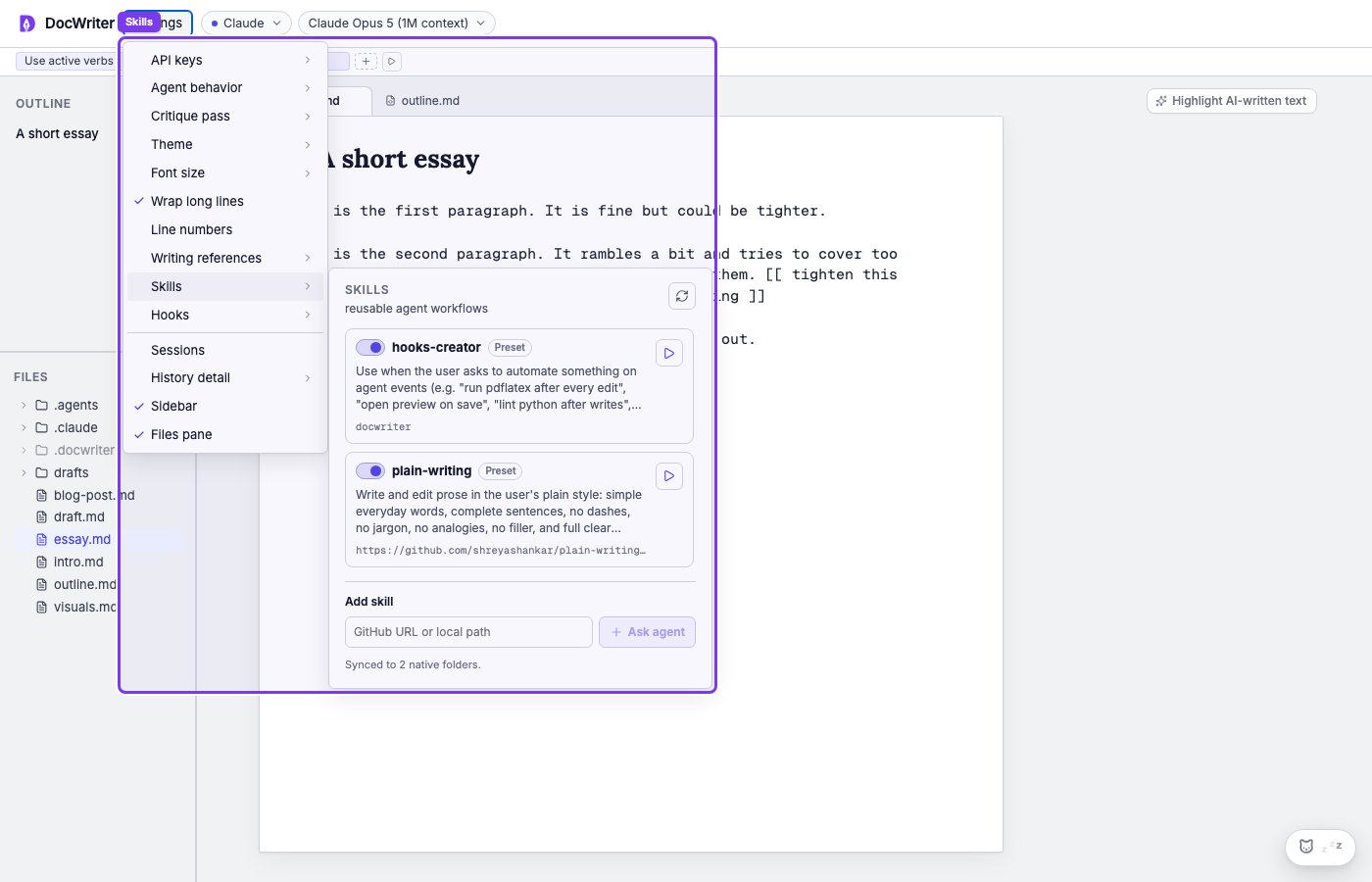
Installed and available skills in Settings

Enable or disable a skill

Enable a skill when it should be available for new requests. Disable it when the procedure does not apply to your current work and you want to keep it installed for later. Choose Run beside a skill when you want to start its procedure directly. You can also ask the agent to use a named skill in Chat and include details about the current task. When you run a skill, the agent reads its instructions and follows them during your request. Built in skills cover plain writing and creating hooks.

Provider support

Providers handle skills in different ways. Some providers load skills through their own agent system. For other providers, the agent receives the skill instructions with your request so it can follow the same procedure. If a skill does not run, confirm that it is enabled and that its description clearly matches the task you requested. A clear description helps the agent decide when to load the skill. Use a writing rule for a short instruction that should always apply. Use a skill for a procedure with several steps or supporting material.